
Download SousChef – Free Recipe Organizer, Meal Planner & Cooking Assistant
Overview
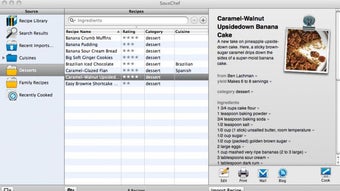
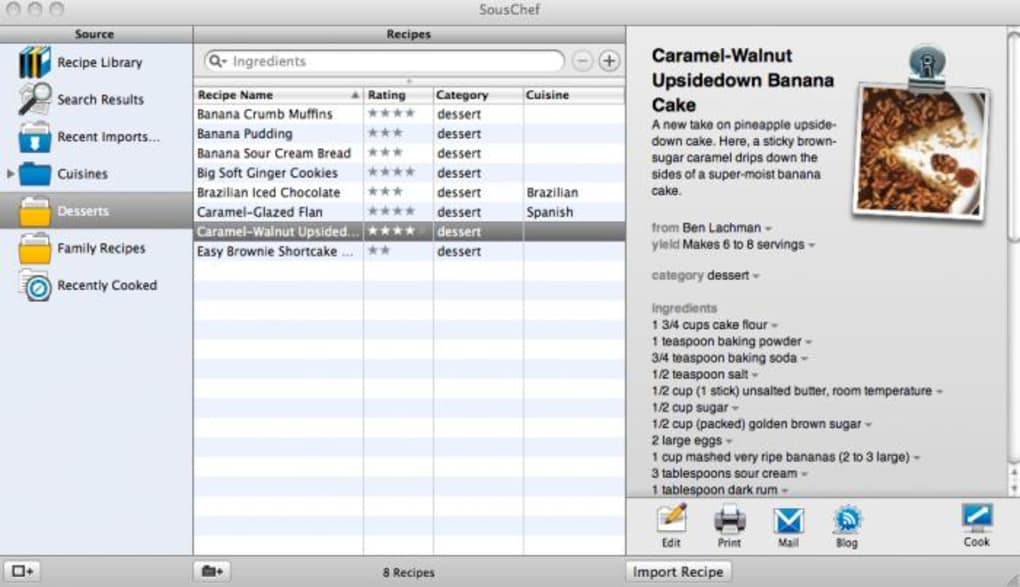
SousChef is a beautifully designed recipe manager that aims to turn every kitchen into a creative studio. Whether you are a seasoned chef or a weekend hobbyist, the app gives you a central hub to find, share, and organize recipes with a visual polish that feels more like a digital cookbook than a utility tool. The core experience revolves around three powerful concepts: a searchable library of built‑in recipes, a community‑driven cloud that surfaces user‑generated dishes, and an ingredient‑based “what’s in my fridge?” scanner that suggests meals based on what you already own.
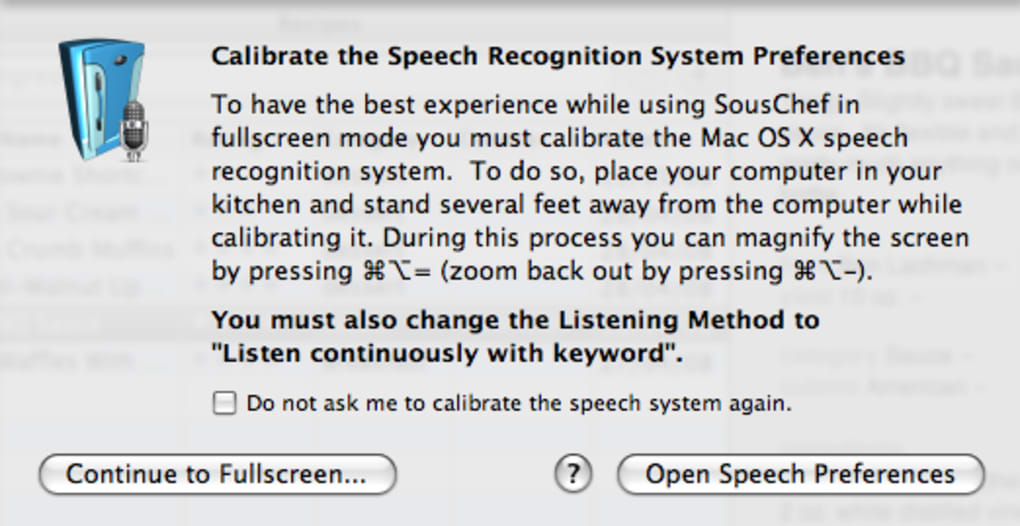
Most recipes come with high‑resolution photos of the finished plate, and the search cloud lets you explore niche cuisines that you might never encounter in a traditional cookbook. A standout feature is the optional voice‑guided cooking mode. When activated, SousChef reads each step aloud, allowing you to keep your hands free and your eyes on the pot.
The speech engine can be switched to any generic voice you prefer, and you can pause, resume, or skip steps using simple voice commands or a remote control—an accessibility win for users with hearing or mobility challenges. While the community is still modest, its growth is fueled by the app’s easy drag‑and‑drop import system, which lets you clip a recipe from any web page, tag it, and instantly add it to your personal collection. In short, SousChef is more than a database; it’s a collaborative culinary platform that encourages experimentation, organization, and a dash of inspiration every time you open it.
Key Features & Community
- Searchable built‑in recipe library with picture‑rich entries.
- Ingredient‑based discovery: type what you have, get instant meal ideas.
- Community cloud tags: browse user‑submitted recipes beyond the default collection.
- Voice‑guided cooking mode with customizable generic voice.
- Drag‑and‑drop web import with automatic tagging.
- Integrated blogging tool for sharing your culinary creations.
- In‑application store supporting coupon codes for premium upgrades.
- Stable recipe editing with recent bug fixes for ingredient handling and PDF import.
- JRFeedback integration for direct support via the Help menu.
The feature set is deliberately built around the idea of “cooking without friction.” The ingredient scanner eliminates the need to flip through multiple cookbooks when you’re low on inspiration, while the community cloud adds a social layer that keeps the app fresh with new flavors. Users can attach tags to any imported recipe, making it easy to filter by cuisine, dietary preference, or difficulty level. The built‑in blogging function, although limited to the full version, allows you to post your own recipe stories directly from the app, fostering a sense of ownership and community contribution. Recent updates have introduced a coupon‑code system, so you can unlock premium features at a discount, and the JRFeedback project now lets you send bug reports or feature requests without leaving the program. All of these elements combine to create a living ecosystem where the more you use SousChef, the richer the experience becomes.
Installation, Daily Use & Compatibility
Getting SousChef up and running is straightforward. Download the installer from the official website, choose the appropriate package for your operating system, and follow the on‑screen wizard. macOS users will receive a standard .dmg file, while Windows users get an .exe installer. The app also offers iOS and Android versions, ensuring you can access your recipe vault from a phone or tablet while you shop for groceries. After installation, launch SousChef and create a free account; this syncs your library across devices and unlocks the community cloud. The first‑time setup wizard walks you through importing your favorite recipes—simply copy a URL or drag a web snippet into the import window, add tags, and the recipe appears in your personal collection.
Daily usage centers on three workflows: searching, cooking, and sharing. To search, type a keyword, ingredient, or tag into the top bar; SousChef instantly displays matching recipes with thumbnail images. The ingredient‑based finder works by entering items you have on hand; the algorithm ranks results by relevance and prep time, helping you decide what to whip up for dinner. When you select a recipe, you can switch to full‑screen voice mode. The app reads each step aloud, pauses automatically after a timed instruction (e.g., “simmer for 5 minutes”), and allows you to control playback with simple voice commands like “next step” or “repeat.” While the speech feature works best in full‑screen, recent patches have reduced the choppy interruptions that users reported in earlier versions.
Compatibility
Windows 10 or later, macOS 10.14+, iOS 13+, Android 8.0+
Pros
- Visually appealing interface that feels like a premium app.
- Robust search options, including ingredient‑based suggestions.
- Active community cloud adds fresh, user‑generated content.
- Voice‑guided cooking assists hands‑free preparation.
- Easy drag‑and‑drop import from any web source.
- Cross‑platform syncing keeps recipes accessible everywhere.
- Free core version with optional paid upgrades.
Cons
- Voice mode only works in full‑screen, limiting multitasking.
- Speech engine can still stutter on older hardware.
- Community library is growing but currently smaller than major competitors.
- Blogging feature is limited to the paid version and lacks direct social‑media integration.
- No step‑by‑step cooking videos, only static photos.
Frequently Asked Questions & Conclusion
Is SousChef free to use?
SousChef offers a fully functional free tier that includes recipe search, ingredient‑based suggestions, and basic voice guidance. Premium features such as full‑screen blogging, advanced tagging, and ad‑free experience are available through a one‑time purchase or subscription.
Can I import recipes from any website?
Yes. SousChef’s drag‑and‑drop importer works with most web pages. Simply highlight the recipe text (or use the browser extension), drag it into the app, assign tags, and the recipe is saved in your library.
Does the voice‑guided mode work on iOS and Android?
Voice guidance is available on all platforms, but the full‑screen requirement is currently limited to desktop (Windows/macOS). Mobile devices provide a compact voice overlay that can be toggled on or off.
How secure is my data when I sync recipes across devices?
All data is transmitted over HTTPS and stored on encrypted servers. You can also enable two‑factor authentication for added protection.
Can I share my recipes directly to social media?
The free version lets you export recipes as PDF or share a link. The premium plan adds one‑click sharing to Instagram, Facebook, and Pinterest.
Conclusion
SousChef brings together the best of modern recipe management and community collaboration in a sleek, easy‑to‑use package. Its ingredient‑driven discovery, voice‑guided cooking, and cross‑platform sync make it a standout choice for anyone looking to elevate their kitchen routine. While the voice mode’s full‑screen limitation and a still‑growing community are minor drawbacks, the overall experience is polished enough to justify a download today. Ready to organize your culinary world? Download SousChef now and start turning everyday ingredients into memorable meals.
SousChef delivers a compelling mix of visual appeal, practical features, and community spirit. The free tier is generous, and the premium upgrades are priced fairly. Minor hiccups with voice playback do not outweigh the app’s strengths, making it a solid recommendation for both beginners and seasoned cooks.







